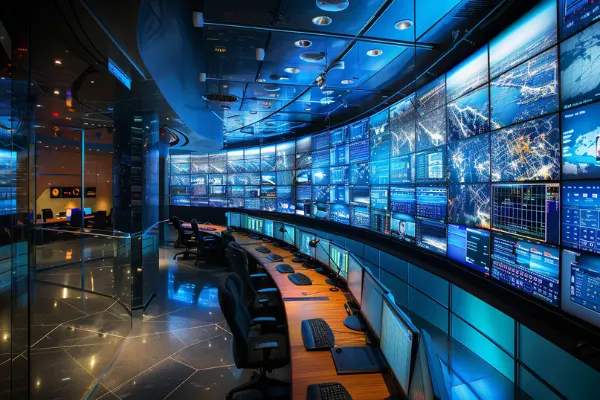
Video Wall and
KVM Solutions

Video Wall and KVM Solutions

Why We Need Video Wall and KVM?

Video Walls
  1. Enhanced Visualization: Video walls provide a large, high-resolution display area that can show multiple sources of information simultaneously. This is crucial for monitoring, presentations, and collaborative work.
  2. Scalability: They can be scaled to any size, making them suitable for small meeting rooms to large control centers.
  3. Flexibility: Video walls can display content from various sources, including live feeds, data visualizations, and multimedia presentations, all in one cohesive display.
  4. Impactful Communication: They create a visually impactful way to communicate information, which is especially useful in public spaces, lobbies, and command centers.
KVM Systems
  1. Centralized Control: KVM systems allow operators to control multiple computers or servers from a single keyboard, video monitor, and mouse setup. This centralization simplifies management and reduces the need for multiple peripherals.
  2. Efficiency: By enabling remote control of multiple systems, KVMs improve operational efficiency and reduce the physical space required for equipment.
  3. Security: KVM systems can enhance security by allowing operators to access and manage systems without needing to be physically present, reducing the risk of unauthorized access.
  4. Versatility: They support various configurations, including single-user, multi-user, and matrix setups, making them adaptable to different operational needs

Where Can We Use Video Wall and KVM?

Video Walls
  1. Control Rooms: Essential for monitoring and managing critical operations in industries like utilities, transportation, and emergency services.
  2. Corporate Workspaces: Used for presentations, video conferencing, and collaborative work, enhancing communication and decision-making.
  3. Retail and Public Spaces: Create engaging digital signage to attract and inform customers.
  4. Broadcast and Media: Display multiple feeds and sources for live production and broadcasting.
  5. Education: Enhance learning experiences in classrooms and auditoriums with large, interactive displays.
  6. Healthcare: Used in medical imaging and telemedicine to provide clear, detailed visuals.

KVM Systems

  1. Data Centers: Allow administrators to manage multiple servers from a single console, improving efficiency and reducing clutter.
  2. Control Rooms: Enable operators to control various systems and displays from a central location, enhancing situational awareness.
  3. Corporate IT: Facilitate remote management of computers and servers, reducing the need for physical access.
  4. Broadcast and Media: Streamline the control of multiple editing and production systems.
  5. Healthcare: Provide secure, remote access to medical systems and patient data.


Success Stories

Office Server Room and Employee Desk

Bank

Hi-Tech Security Surveillance Room

Manufacturing Control Desk

× WhatsApp Us